
Quickstart
1. Install Kent server and CLI
Section titled “1. Install Kent server and CLI”Open PowerShell and run:
irm https://kent.sh/install.ps1 | iexHomebrew (Apple Silicon)
Section titled “Homebrew (Apple Silicon)”brew tap respawn-llc/tapbrew install respawn-llc/tap/kentInstall script
Section titled “Install script”curl -fsSL https://kent.sh/install.sh | shHomebrew
Section titled “Homebrew”brew tap respawn-llc/tapbrew install respawn-llc/tap/kentArch Linux (AUR)
Section titled “Arch Linux (AUR)”The kent-bin AUR package is community-maintained.
yay -S kent-binStandalone binaries are not auto-updated. Re-run the install script to update.
Check the installed version with: kent --version
2. Install the background service
Section titled “2. Install the background service”Kent consists of two apps: whatever client you prefer, and the server.
If the install script did not install the background service, or you used a package manager, install it below.
Open PowerShell as Administrator and run:
kent service installkent service installkent service installSee Kent Server for more info.
3. Install Kent Desktop
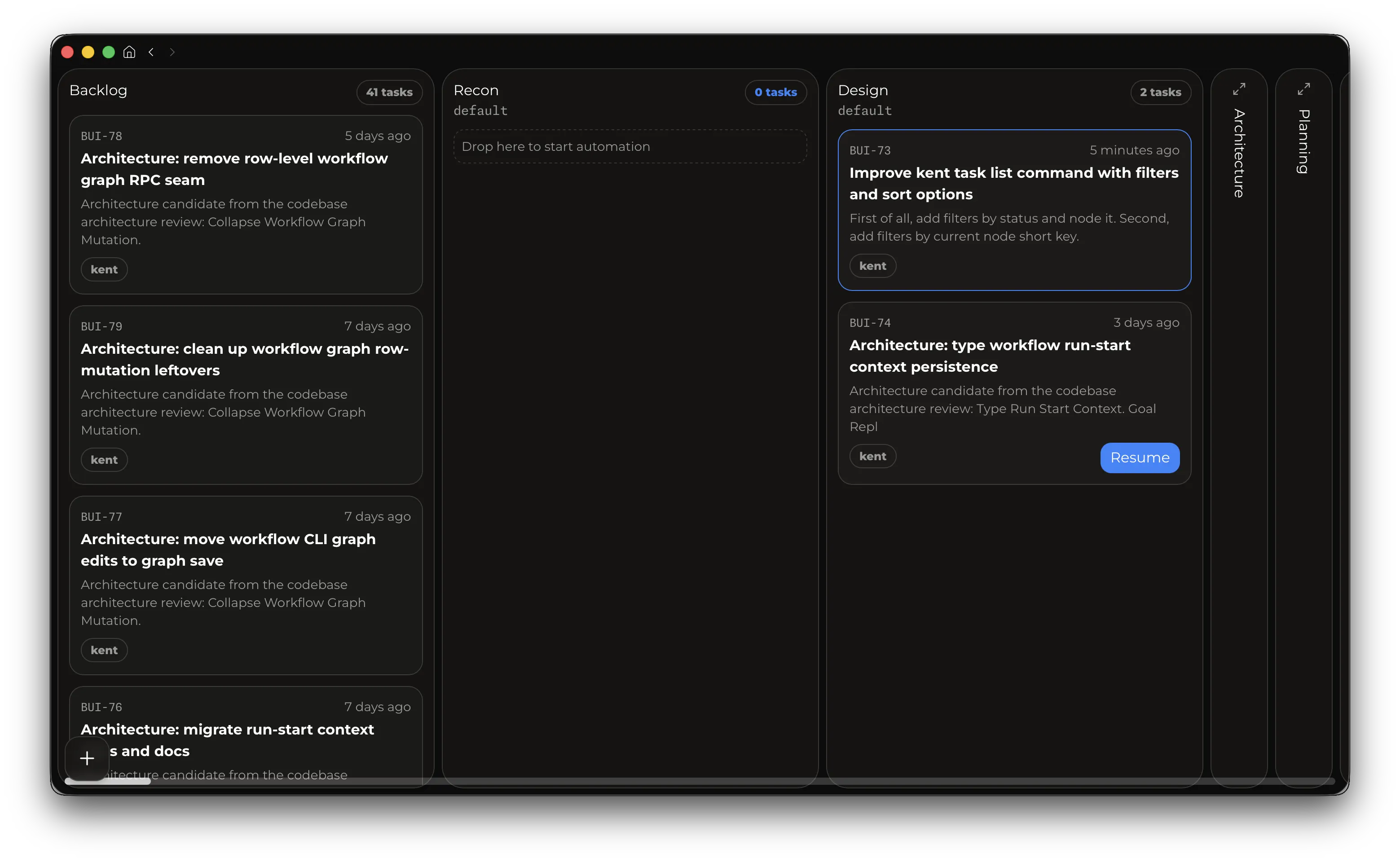
Section titled “3. Install Kent Desktop”The desktop app lets you use Kent’s Workflows and Tasks feature to build agentic graphs and deterministic pipelines to fully automate processes and scale to 10s or 100s of agents.
Manual install
Section titled “Manual install”Download the installer for macOS Apple Silicon, Linux x86_64, or Windows x64 at kent.sh/desktop, or install the macOS app via Homebrew:
brew install --cask respawn-llc/tap/kent-desktopHomebrew installs update through brew upgrade, standalone installs self-update.
First use
Section titled “First use”After the server is running, run kent to start the TUI. Add your first provider connection for inference.
After that, you can add multiple subscriptions or model providers. See Authentication and connections for further configuration.
Main terminal workflows
Section titled “Main terminal workflows”- Press
F1to invoke the help menu. - Use
Enterto steer the model,Tabto queue messages. Slash commands can be queued too! - Use
Shift+Tabto toggle between detailed transcript mode and lean ongoing mode. - Type
$ <command>to execute a shell command and show its output to the model. - Press
Esctwice to enter Edit mode, which lets you go back in time, edit a previous message, and fork the session starting with it. UseUp/Downto walk through user messages. File edits are not rolled back. - Use the
Up/Downarrow keys to select and resend previous prompts. - Press
Ctrl+V/D,Alt+V/Dto paste clipboard images or text. - Use
/reviewto start a code review. After the review finishes, you can use/backto teleport to the original session. /name <new-name>will set your session name in the picker and terminal title./autocompactionwill toggle compaction, and/compactwill trigger one. If autocompact is off, you can go above 100% context usage if model allows it. Going above 100% will cost more and degrade model performance. Repeating/compactbefore the next model request succeeds without compacting the conversation again.- Run
/statusto get detailed info about the session.
For the full command reference, see Slash Commands.
Configuration
Section titled “Configuration”Kent reads settings from ~/.kent/config.toml. The full reference is on the Configuration page.
Skills and slash commands
Section titled “Skills and slash commands”On first launch, the setup wizard can optionally import existing skills and slash-command directories from supported providers.
Kent discovers skills from:
<workspace>/.kent/skills~/.kent/skills<persistence-root>/.generated/skills
You can disable skills for new sessions in config.toml:
[skills]creating-skills = falseChanges take effect when a session starts or after compaction.
Supervisor
Section titled “Supervisor”- Use
/supervisorto toggle reviews for the current session. It reviews the model’s work and adds about 15% to costs when it uses the main model. See Configuration to choose its model.
Advanced
Section titled “Advanced”Once you’re comfortable driving the traditional agentic CLI, consider upgrading to workflows.